Automation for finance and operations teams

Fewer errors. More time to grow.

Stop spending hours comparing balances, entering invoices and rebuilding reports. We connect the tools you already use to help reduce operating costs and free your team for work that moves the business forward.

From diagnosis to implementation, with a defined ongoing support plan available after launch.

Book a workflow review

30 minutes · Tell us what takes up your time

Estimate your opportunity →
Fortune 500 experience. Practical solutions for your team.We’ve built reconciliation and lease-data extraction systems for Fortune 500 operations. We bring that experience to help your team find balance differences, review contracts faster and reduce costly rework.
The work moves. You stay in control.
Est.Santo Domingo PracticeAccounting & finance ApproachControls first · technology follows LanguagesEN / ES EngagementAudit → Build → Care

01 / Selected work

Built for the work behind your business.

Reconciliation, sales and meat-packing workflows, built around less manual work and clearer decisions.

One project at a time. Select above or swipe.

Illustrative contract review: source text on the left, AI-extracted fields, confidence indicators and human approval on the right. Fictional data. Illustrative interface · Fictional data · Not a product screenshot
View larger ↗

Fortune 500 experience · Lease automation web application

Less data entry. Faster lease reviews.

Turn lease documents into structured data with AI, prepare accounting schedules and compare results. Your team reviews the source information and accounting decisions.

Supports ASC 842 and IFRS 16 lease-accounting workflows. We validate policies, assumptions and outputs for each implementation; this is not a blanket compliance guarantee.

BeforeScattered documents and status updatesAfterA shared intake and review workspace
Validation Hub product screenshot with SAP and subledger controls. Edited product screenshot · SAP / subledger example
View larger ↗

Fortune 500 experience · Financial controls

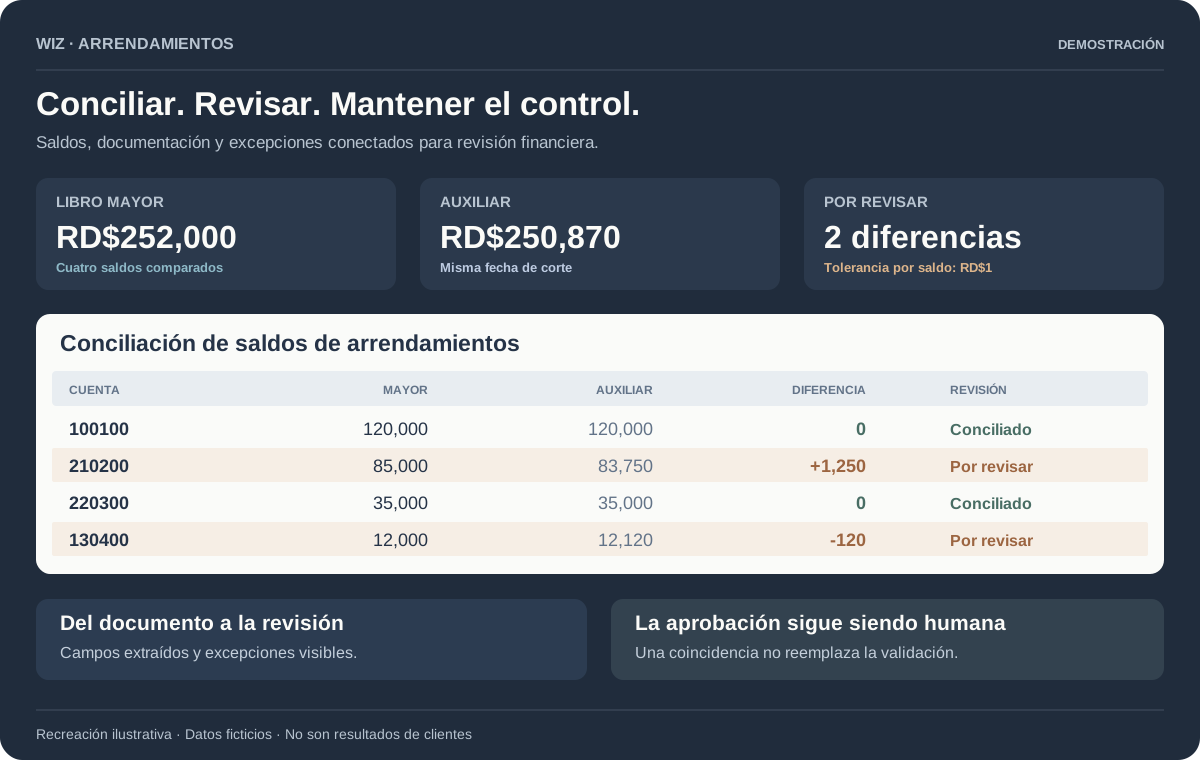
Reconcile systems. Review exceptions.

Compare general-ledger and subledger balances automatically. Flag differences and gather supporting records so your team spends less time checking balances.

Built example: SAP and subledger controls. We assess adaptations for QuickBooks, Oracle, Zoho Books and other accounting systems.

BeforeManual matching across systemsAfterRepeatable checks. Visible exceptions.
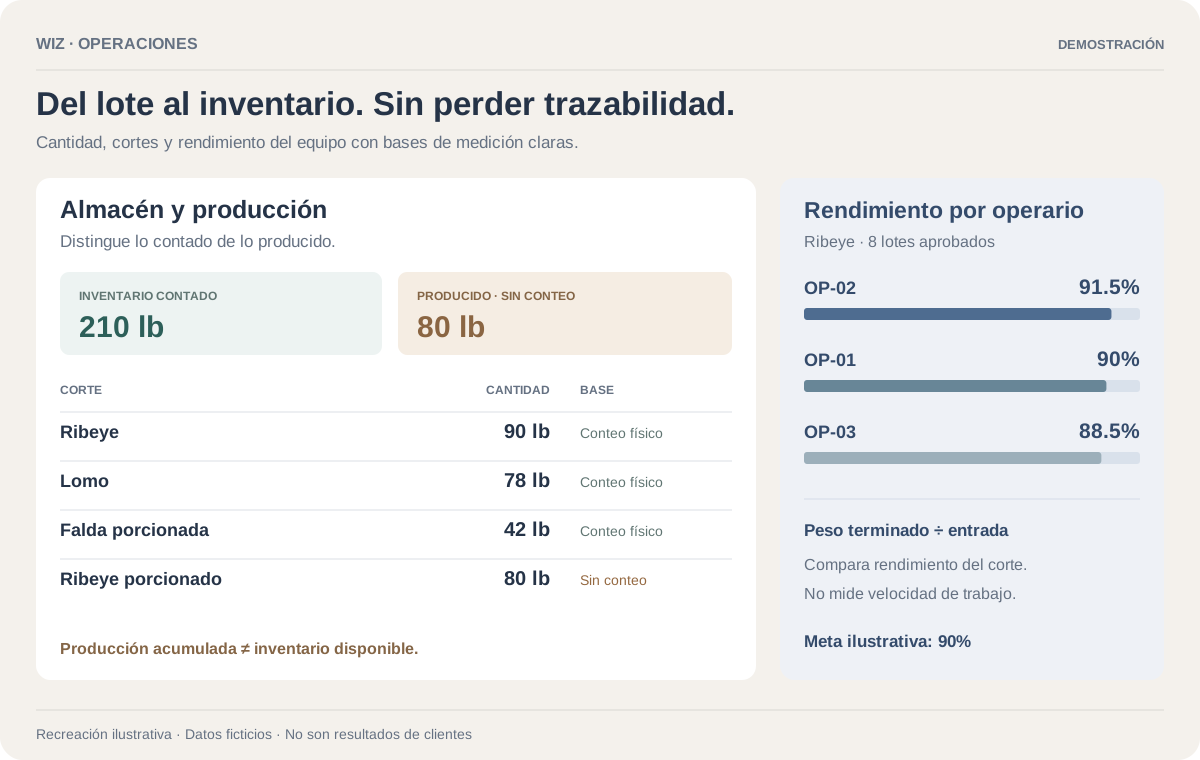
Illustrative inventory view distinguishing physical counts from unverified production quantities. Illustrative interface · Fictional data
View larger ↗

Food production · Caribbean deployed

See your stock. Understand your yield.

See inventory by cut, compare team yields against standards, and follow results across production records. Physical-count warnings keep unverified stock visible.

BeforePaper capture and delayed reviewAfterMobile control and visible exceptions
View larger ↗

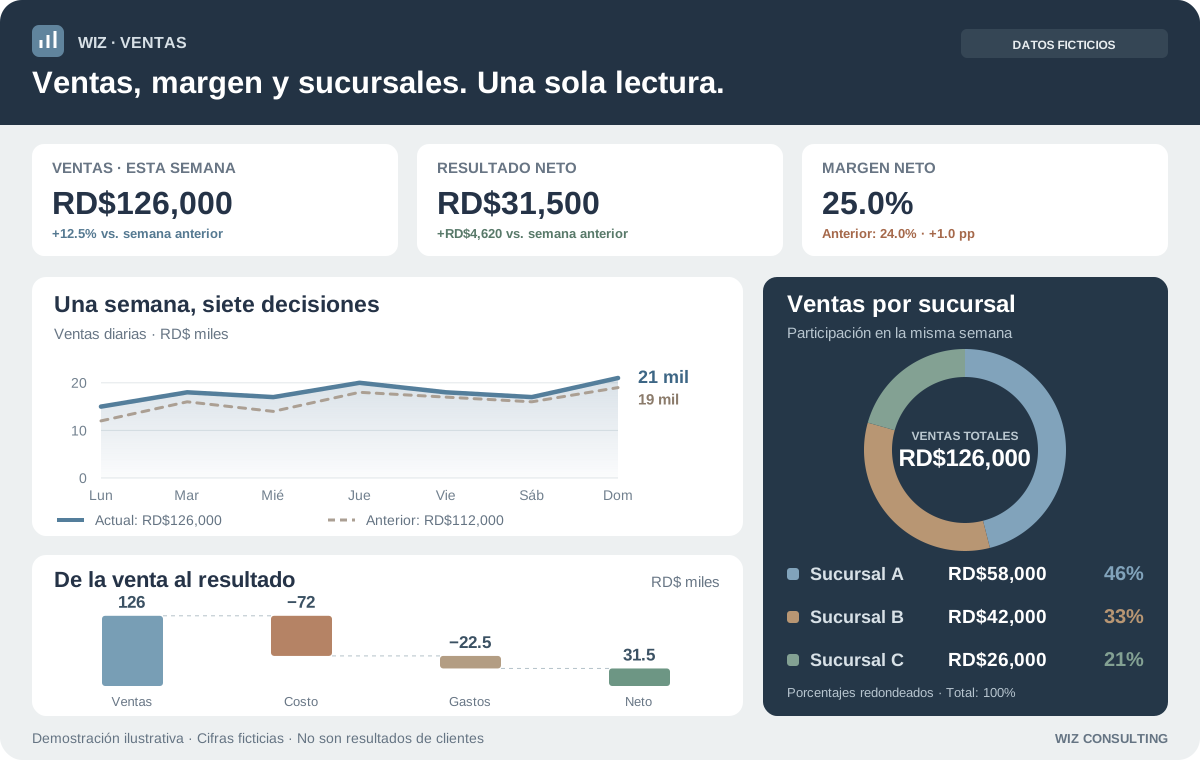
Sales intelligence · Multi-location retail scheduled

See what sells. And where.

Sales, net results and margins in one view. Compare periods, follow category trends and drill into each location—without rebuilding the report every morning.

BeforeSales scattered across spreadsheetsAfterSales and margins, ready to review
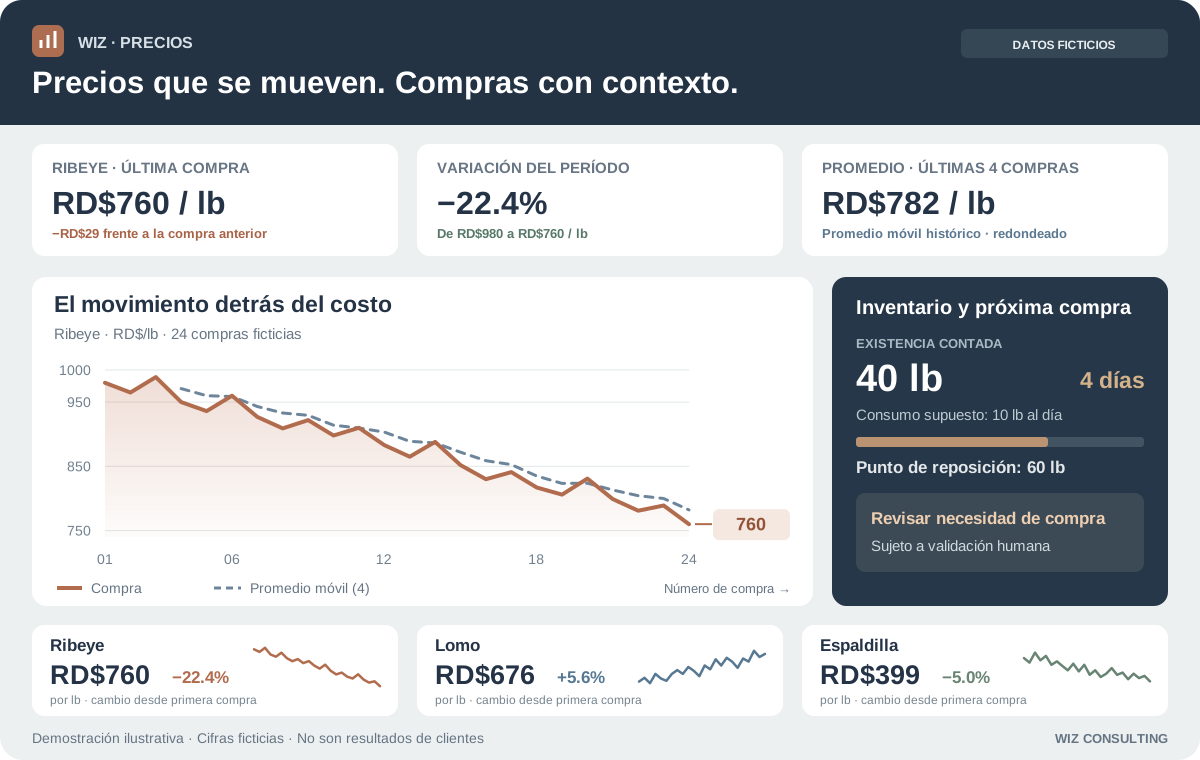
Illustrative buying guidance combining price history with stock needs; review before purchasing. Illustrative interface · Fictional data
View larger ↗

Meat Packing · Pricing intelligence

A better price. The right time to replenish.

Compare each cut’s price history with inventory needs to spot favorable buying conditions. Review stock, signal confidence and the recommendation before placing an order.

BeforePrice history buried in purchase recordsAfterPer-cut trends and purchasing context

We’ve created reconciliation systems and AI-powered lease abstraction tools to make Fortune 500 operations more efficient and reduce the cost of manual work.Showcase data is fictional; figures are not measured client results.

02 / Method

From the first workflow to the day-to-day.

Free initial 30-minute consultation. Prices in Dominican pesos (DOP); applicable taxes and third-party costs are separate. Scope is agreed before work begins. Ongoing support is optional and starts with up to 3 service hours per month; extra work requires approval.

  1. Process Audit

    RD$25,000 · one process

    Not sure what to automate? We map one process, find its bottlenecks and assess the costs, benefits and controls before you commit to a build.

    What you receive
    • A starting point: hours spent, workload, costs and recurring errors
    • A process map showing who does what, where work waits and what needs review
    • Prioritized improvements, implementation stages and risks to address
    • An estimate of potential savings and investment, with the assumptions explained
  2. Custom Build

    Quoted after reviewing your process

    Connect your tools, release a useful first workflow, and make approvals and exceptions visible.

    What you receive
    • First useful workflow released before the full roadmap
    • Approvals, exception paths, audit trail, and recovery
    • Documentation, training, and operational handover
    • Agreed success measures and a comparison with the starting point
  3. Care & Improvement

    Optional · from RD$25,000/month

    Keep improving after launch with an ongoing service plan. We agree on coverage, response times and fees before support begins; maintenance is not automatically included in every build.

    What you receive
    • Monitoring and incident handling within the agreed coverage
    • Prioritized improvements, tested before release
    • Clear responsibilities, access controls and handover procedures
    • A results summary: time spent, errors and automation health, at an agreed frequency

Find out what automation could do for you.

Capabilities, planning tools and practical answers—open any section.

Find your automation opportunityExplore six workflows and estimate the value of time freed.

Automation opportunities

Where could your team save time?

Choose a process, see what could change, and estimate the value using your own workload. Keep the software your team already knows.

Where automation can help

Reconciliation

Import records, match balances and route differences for review.

Spend less time matching rows and more time resolving exceptions.

What to measure

Minutes per reconciliation, match rate and unresolved differences.

Keep the accounting software you use.

QuickBooks, Oracle, Zoho Books, SAP or another system: we assess available APIs and approved imports or exports, then design around your workflow. Product version, permissions and access are confirmed before building.

What could that mean for your team?

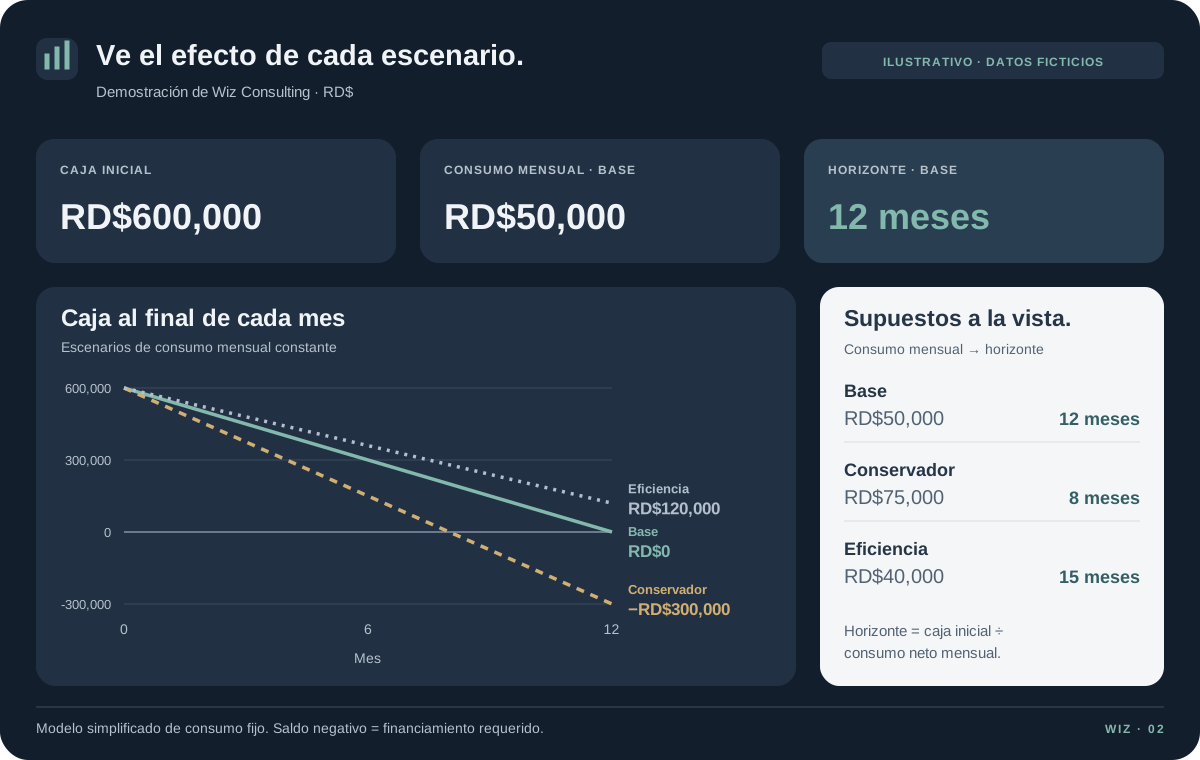
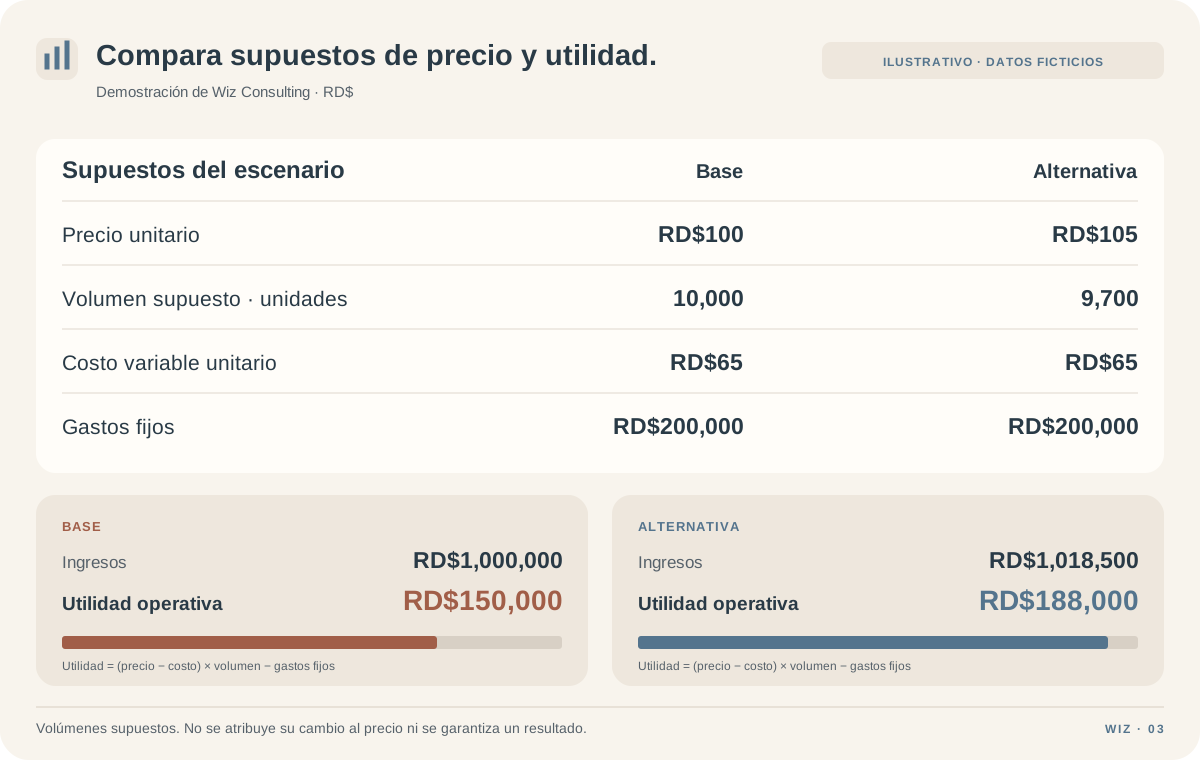
Illustrative starting values—not benchmarks. Replace them with your own assumptions.

Add estimated recurring software and support costs in Dominican pesos. One-time setup costs are not included. Results are rounded to whole pesos; starting values are illustrative, not wage benchmarks.

Potential hours freed / year240
Annual labor-capacity valueRD$120,000
Value after recurring costs / year

Enter a recurring-cost estimate to calculate net value.

Time freed is capacity—not automatically cash saved. Cash savings depend on reducing actual costs such as overtime or outsourced work. Results depend on your process and are not guaranteed.

Is your workflow a good fit?A short, private readiness check.

Private workflow diagnostic

Is this workflow ready to become a system?

Check what is true today. The signal is directional, stays in this browser, and helps frame the workflow review.

0/ 5
Workflow conditions

Map one real runconditions present

Record one complete run: trigger, inputs, decisions, exceptions, and owner. Recheck when the pattern repeats.

Review this workflow

No answers are stored or submitted. This is not a feasibility guarantee.

See automation in actionIllustrative numbers. A view of what we can build.

One system. Full visibility.

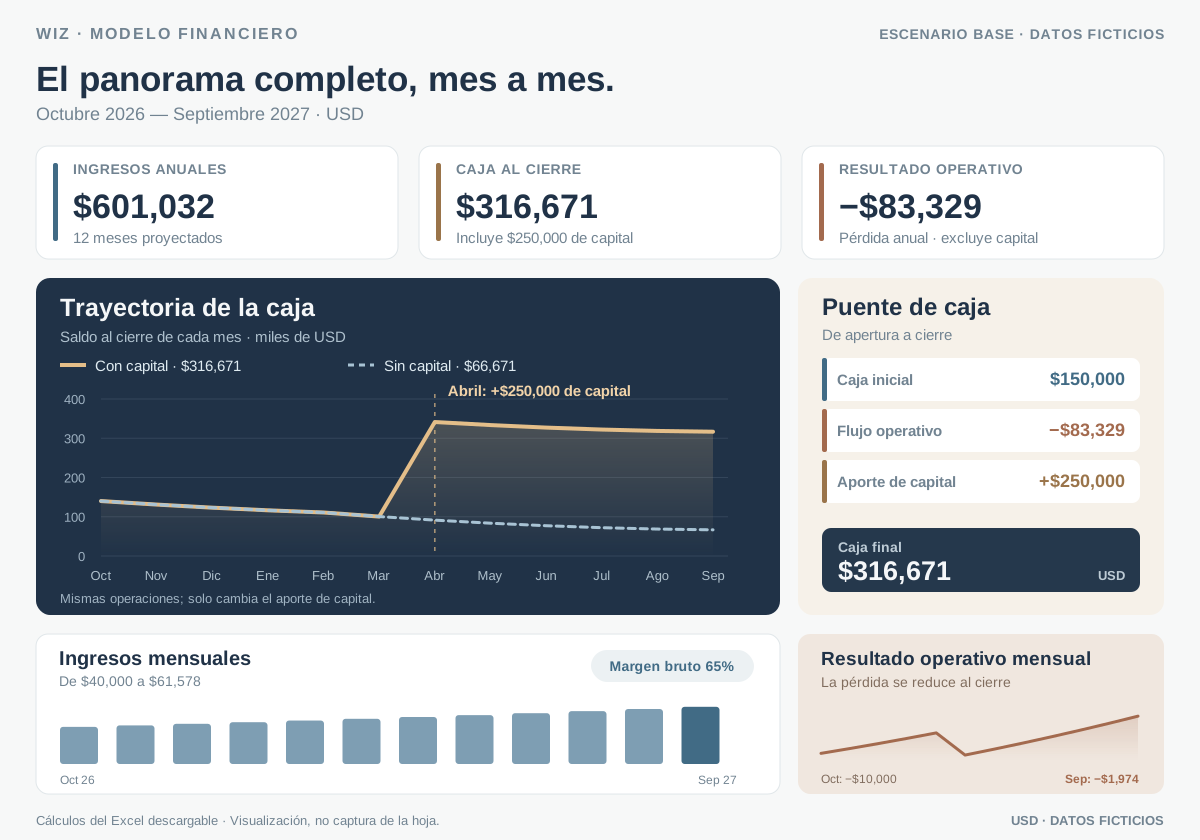
See the business while it is happening.

See reports, alerts, reconciliations, and KPIs together. Spend less time chasing updates and more time acting on them.

WizFinance Operations Demo view

Illustrative sample data · Your baseline is calculated in the Process Audit

0hrs

Analyst hours reclaimed / qtr

0days

Month-end close time

0%

Error & rework rate

0/7

Live cash & KPI visibility

Hours reclaimed · rolling 12 monthsIllustrative
Month 1Month 12
0%

of the manual work, automated

Illustrative example, not client results. We measure your starting point and track outcomes after implementation.

How we build the business caseThe assumptions and controls behind the decision.

03 / The case

Built to move data. Designed to earn trust.

We connect your tools, apply your business rules, and record what happens so your team can review the results.

Automation system blueprint Illustrative
01
ConnectERP · banks · sheets · inboxes
02
OrchestrateMatch · validate · calculate · route
03
ControlApprovals · exceptions · audit trail
04
ActDashboards · alerts · reports
Workflow coverage94%
Exceptions routed12
Data freshnessLive
Traceability100%

Value you can measure

We define the baseline first, then track reclaimed hours, cycle time, exceptions, and errors after launch.

Visible progress by phase

The highest-value workflow ships first. You see the system working before the full roadmap is complete.

No black-box business case

We use your hours, costs, workload, and risks to assess the opportunity. Every assumption is clear.

Controls built into the workflow

We define access, approvals, change logs, data retention, and recovery before implementation.

More systems we buildExplore capabilities beyond these projects.

Systems we build

Less repetitive work. More control.

See what gets checked, what needs a person, and what your team can decide next.

Workflow examples · fictional data

Illustrative reconciliation: compare SAP and subledger balances, clear matches and review differences.

Reconciliation engines

Compare accounting systems and subledgers. Clear matching balances and bring differences—with their source records—to the reviewer.

Decide: which difference needs attention?
Illustrative invoice flow: validate fields, block a duplicate and send valid invoices for approval.

Invoice and payable flows

Check invoice fields, catch duplicates and route approvals before posting. Your team stays in control of exceptions.

Decide: approve, correct or hold?
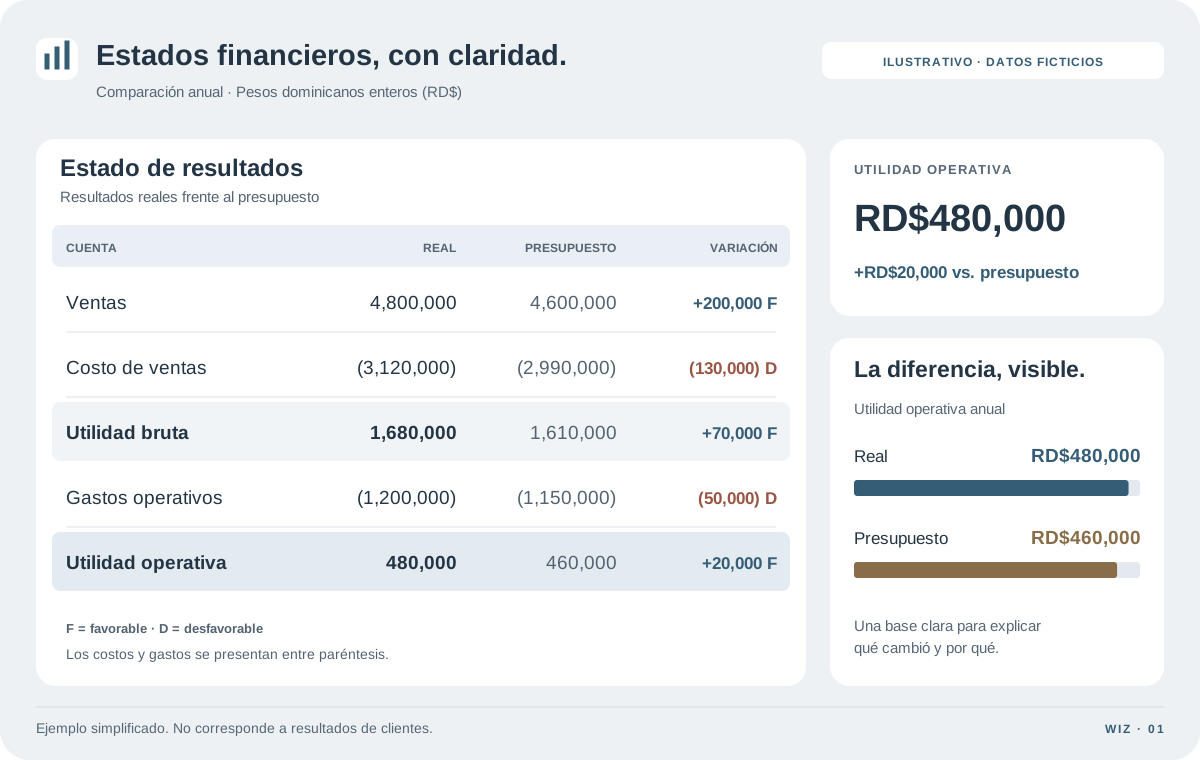
Illustrative sales comparison: compare locations and investigate a flagged margin.

Management reporting

Compare sales, costs and margins across periods and locations. Open the underlying records when a result needs a closer look.

Decide: where is performance changing?
Illustrative batch control: balance material input with finished goods and trim, then review variance.

Inventory and yield control

Follow material from receipt to finished goods. See yield, recorded loss and unexplained differences by batch.

Decide: which batch needs investigation?
Illustrative document check: validated fields and a missing signature routed for review.

Document control

Extract required fields, check the evidence and route missing items to an owner before the process moves forward.

Decide: what is missing before approval?
Illustrative operations queue: see each workflow, its status, responsible owner and next action.

Executive command centers

See stalled workflows, pending decisions and responsible owners in one place. Put the next action ahead of another status meeting.

Decide: who needs to act next?

System 1 of 6

Have a different workflow? If it has inputs, rules, and a repeatable output, it can probably become a system.

Bring us the workflow →
Look inside a finance workflowIllustrative interfaces—not client screenshots.
Finance automation cockpit
Illustrative sample data
Connections

Bank feeds

Connected
01

Operating account**** 4821

Synced
02

Corporate cards**** 0772

Syncing
03

Reserve account**** 1934

Synced
3 sources healthy07:42
Data intake

Excel, cleaned automatically

Validated
bank_july.xlsx1.8 MB
12,842rows standardized0duplicates
Control center

Bank reconciliation

12 to review
Bank totalUSD 425,860 Ledger totalUSD 424,390 Open differenceUSD 1,470 Matched98.7%
ReferenceSourceAmountStatus
TRX-9082Bank / Ledger865.40Matched
DEP-1447Bank / Ledger4,920.00Matched
FEE-0319Bank only147.00Review
INV-2842Ledger only1,112.00Review
Analysis

Management KPIs

July demo
Cash positionUSD 1.84M+8.4%
Close progress84%On track
AP due / 7 daysUSD 128K42 invoices
Open exceptions12-31%
Human review

Exception queue

12

Possible duplicateINV-2848 · USD 2,480

High

Account missingTRX-9104 · USD 865

Review

Amount variancePO-7721 · USD 147

Review
Routed to process owner2h SLA
Automation run

Daily close workflow

Completed
01

Bank file received07:00:02

02

12,842 rows validated07:00:18

03

Transactions matched07:01:04

04

Dashboard published07:01:12

Run duration01:10
Accounting workbench

From transactions to financial statements

Balanced
Demo operating company

Balance sheet

As of July 31
AssetsUSD
Cash and equivalents1,842,630
Accounts receivable426,190
Inventory218,440
Total current assets2,487,260
Property and equipment, net684,900
Total assets3,172,160
Liabilities and equityUSD
Accounts payable312,780
Accrued expenses89,420
Long-term debt640,000
Total liabilities1,042,200
Owner equity2,129,960
Total liabilities and equity3,172,160
Demo operating company

Profit & loss

Month ended July 31
Operating performanceUSD
Net revenue2,840,000
Cost of goods sold(1,702,000)
Gross profit1,138,000 40.1%
Payroll and benefits(398,000)
Occupancy and utilities(146,000)
Other operating expense(158,000)
Total operating expense(702,000)
EBITDA436,000 15.4%
Interest, tax, and other(123,600)
Net income312,400 11.0%
Cash control

Bank reconciliation roll-forward

Reconciled
Bank ending balance425,860
Add: deposits in transit8,420
Less: outstanding payments(9,890)
Adjusted bank balance424,390
General ledger balance424,390
Unreconciled difference0.00
Subledger agreesAP · AR · Cash Entries traceable12,842 / 12,842 Close controls passed18 / 18
Illustrative accounting data · statements tied to the reconciled ledgerUpdated 07:42
About usFinance expertise, custom automation, and ongoing support.

05 / Studio

Experience that solves problems. Automation that helps you grow.

Rolfy Sosa

Rolfy Sosa

Finance & automation

CPA · Dominican Republic

Connect on LinkedIn

A decade of experience helping businesses reduce costs and solve complex problems.

Rolfy combines accounting, finance and operational experience across financial institutions, retail, construction, telecommunications, service industries and the casino industry.

His work includes developing reconciliation systems and AI-assisted lease tools in-house at a Fortune 500 company—bringing practical accounting knowledge to automation that reduces repetitive work and helps teams operate more efficiently.

Education

Graduate in Financial Management and Auditing

Pontificia Universidad Católica Madre y Maestra (PUCMM)

Outside work, Rolfy is an avid chess player. He has always enjoyed solving problems and finding better ways to do things.

We combine accounting knowledge with practical automation to help your business save time and reduce manual work—in English and Spanish.

Growing your business? Start with one time-consuming task and see what makes sense to automate. Write to us.

Questions before we startScope, timing, ownership and what happens next.

06 / Questions

Your questions, answered.

What is the first step?

Start with a 30-minute call about one process. Tell us what repeats, which tools you use, how often it happens and what you want to improve. No technical brief is needed. If there’s a fit, we agree on the scope and fee for a detailed Process Audit before work begins.

How much could we save, and when would it pay for itself?

Savings depend on your process. We estimate the potential return using your team's hours, costs, and workload, with clear assumptions and no guaranteed figures.

How do you handle our financial data?

Before access begins, we document the data involved, approved users, hosting boundary, retention choice, and whether AI is permitted. Those controls become part of the scoped solution.

How long does a build take?

Timing depends on your systems and controls. We deliver in phases so you can use the first improvement sooner.

What if we'd rather build in-house?

The Process Audit gives your team the process map, plan, controls, and cost-benefit assessment to build internally.

Your data stays within clear boundariesPrivacy on this site and controls for your project.

07 / Data controls

Data boundaries before data access.

See what this website does with information and which safeguards we agree on before a project begins.

This website, right now

Current behavior
Advertising trackersNone
Analytics cookiesNone
Browser storageTheme + language
BookingExternal link to Cal.com

Code, fonts and images load from this site. An approximate country check selects an initial language; it is not stored. Your language choice always takes priority. Booking and email open the selected provider, under that provider’s terms.

Do not send credentials or sensitive financial records through this website or the initial booking form.

Before an engagement

Defined with you
  • Map the systems, data classes, approved users, and prohibited data.
  • Choose the hosting boundary, access model, retention period, and recovery path.
  • Decide whether AI is allowed and which provider controls are required.
  • Define approvals, exception handling, logs, and human override before production.
  • Record handoff, access revocation, and deletion responsibilities for closeout.

Project-specific commitments belong in the approved proposal, statement of work, and data-access plan before access begins.

Tell us what’s taking up your time.

You do not need to know what can be automated. Bring one recurring task or problem; in 30 minutes, we’ll identify a useful starting point and whether a deeper review makes sense.

To get started: what task repeats, which tools do you use, how often does it happen and what would you like to improve? No confidential records needed.

Review agenda 30 min
  1. Understand your process

    How it starts, which tools you use, and who is involved.

  2. Find what slows you down

    Repetitive tasks, errors, delays, and reviews.

  3. Choose the next move

    Build with Wiz, use your own team, or wait.